
Custom System Prompt
Sometimes, studio projects hold strict constraints, and we don't want the AI to make generic decisions for all the code created. How do you shape the default "mental" behavior of Gamedev AI?
The "Custom Instructions" Panel
In the hidden Settings tab, below the "API Key" provider field. There is the great free box Custom Instructions (appended to system prompt).
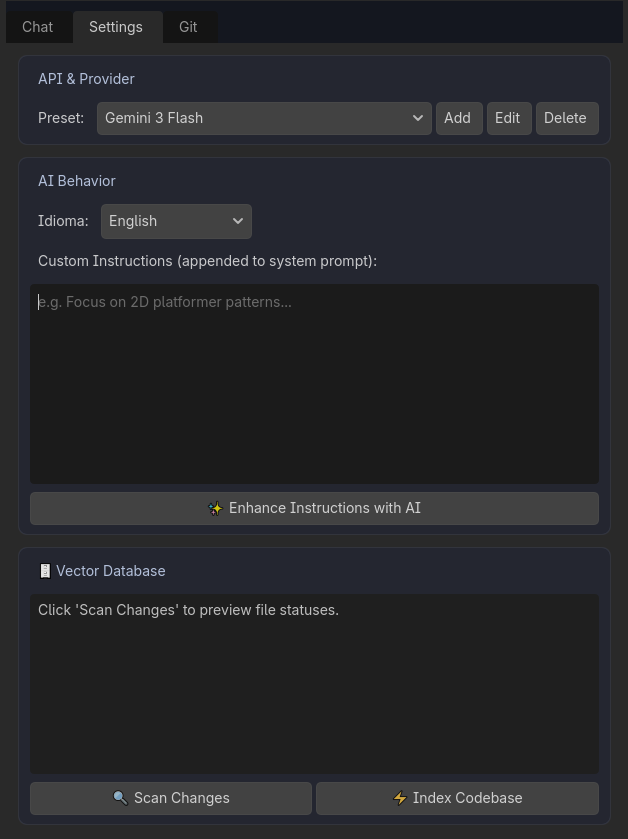
Whenever the AI "thinks", the instructions placed there will be read as universal Rule Number 1 before it answers you.
Examples of what to paste in this box:
- "Please do not write long explanations or greetings, just show the focused Diff window"
- "This studio's entire Godot project uses Clean Code convention. Methods must start with lowercase English letters and scene nodes with PascalCase. Use Strongly Typed Typing (: String, : int, -> void) strictly in all created functions."
- "I forbid the use of _process() tags. I want you to focus on an architecture with intense use of Signals for performance."
With this, Gamedev AI becomes a developer specifically molded by the CTO (You) and will create code the way your team approves instead of the conventional free syntax of LLMs.