Quick Start (The Basics)
Everything set up? Now let's use the smart assistant in practice.
Your First Prompt
- With the API Key configured in the
Settingstab, click back on the Chat tab (in the top menu or the chat icon, if collapsed).
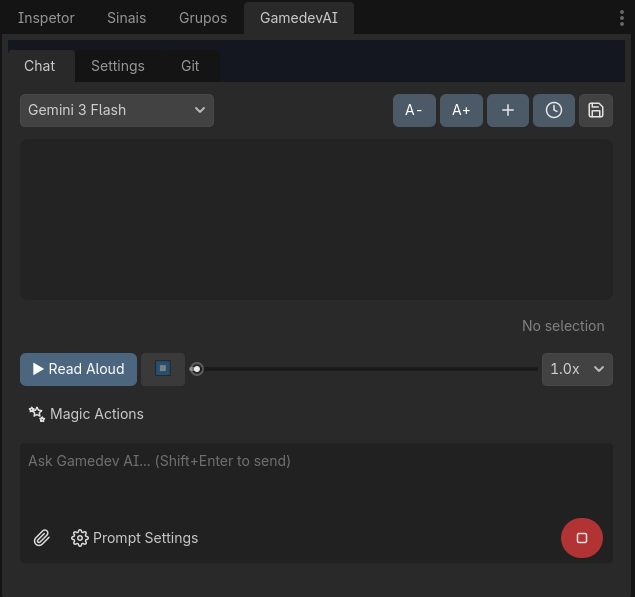
- Gamedev AI is essentially trained to Understand Code and Modify Nodes. To chat naturally, just type what you want in the bottom field of the panel and press
Shift + Enter(or click Send). - Type: "Hello, who are you and what can you create in this project for me?"
The AI will respond in moments with stylized text, emojis, or even suggesting practical code blocks.
Floating Menu and In-Line Snippets
You don't just have to Ctrl+C in the chat. If a script proposes a code block (e.g., func jump()), there will be visual buttons next to the code:
- Copy: Copies to your clipboard (
Ctrl+V).
And if you don't know what format of script to give it, select a piece of text in any open .gd file in Godot. The Gamedev AI plugin has visual refactoring shortcuts to apply to scripts, such as a Refactor or Explain Logic button.